Niural AI
AI-Native Payroll & HR Platform
Payroll is high stakes. The hard part of adding AI was earning enough trust to let it sit in the flows that move real money.
Niural is an AI-native global payroll, PEO and EOR platform. It covers US payroll, employer-of-record hiring in 150+ countries, contractors, benefits, expenses and bill payments in one system. I spent a year and a half on the frontend. The first stretch went into re-architecting the platform and building the design system under it. The second went into the surfaces where the product's AI assistant, EMMA, meets the user.
Most products add AI as a chat box in the corner, which gives people a second place to go on top of the work they already had. Payroll raises the stakes: nobody wants a chatbot's opinion on a $50,000 reimbursement. The AI had to earn a place inside the existing flows and show its working, while the person kept the decision.
- Rebuilt the data layer on TanStack Query and made the cache the source of truth. Payroll screens read the same entities from several places, so most of the work was in query-key design, targeted invalidation after mutations, prefetching on intent, and shared select functions that derive view models without recomputing on every render. Redundant round trips dropped and loading and error states became uniform across the app.
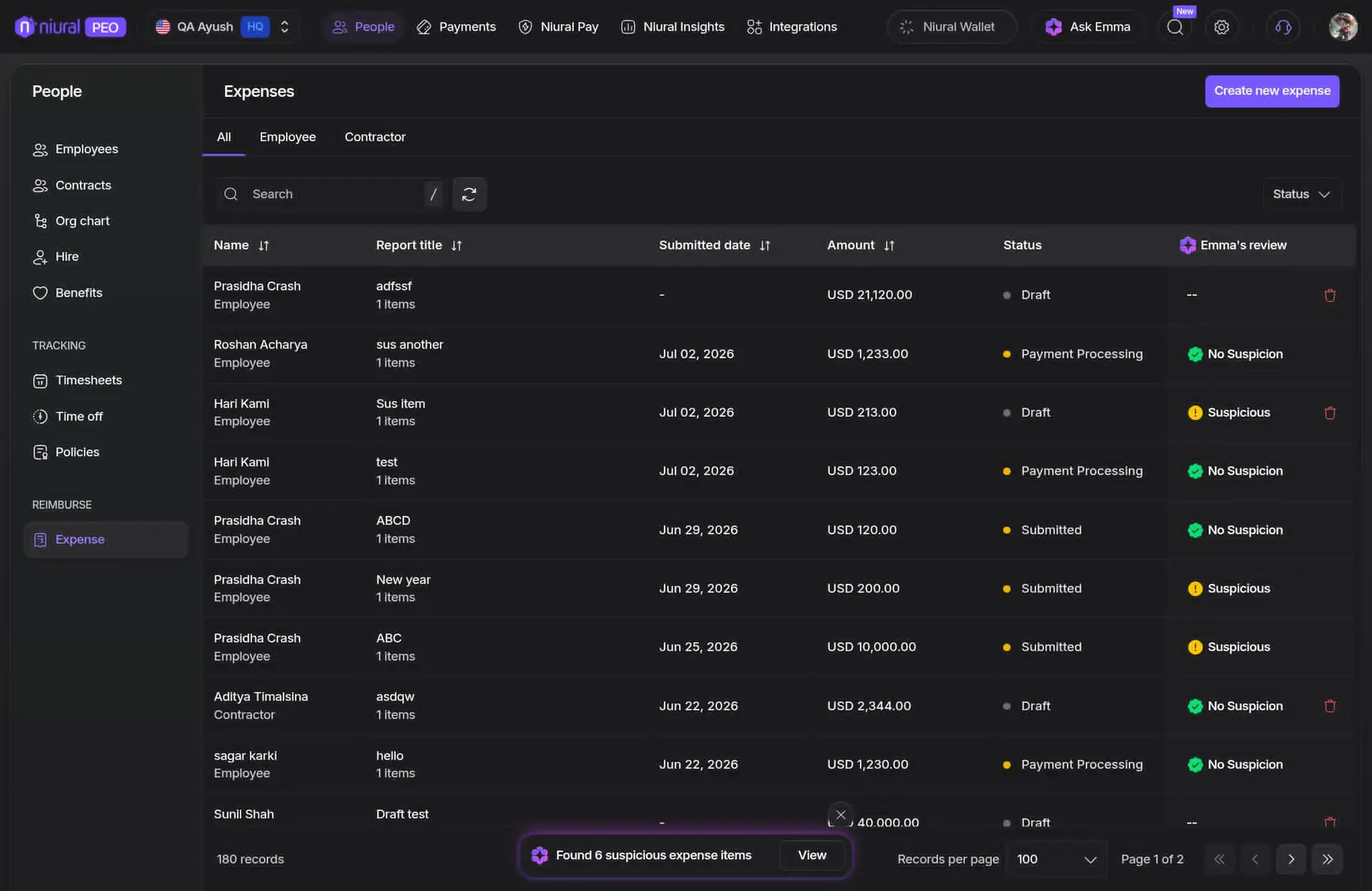
- Built the payroll and expense grids on TanStack Table. The headless core gives you rows and columns, so the layer above it was mine: server-driven pagination, sorting and filtering, column pinning and resizing, row selection that survives a page change, and virtualized rows so long payroll runs stay responsive under a filter.
- Managed cross-feature state with Zustand. Features own scoped stores instead of one global singleton, and subscriptions go through selectors, so typing in the expense filter does not rerender the table, the AI conversation and the document canvas underneath it.
- Handled the layout in code where CSS alone gives out: the chat-and-canvas split with resizable panes, sticky headers over pinned columns, and scroll containment so the conversation and the document scroll independently without the page fighting either of them.
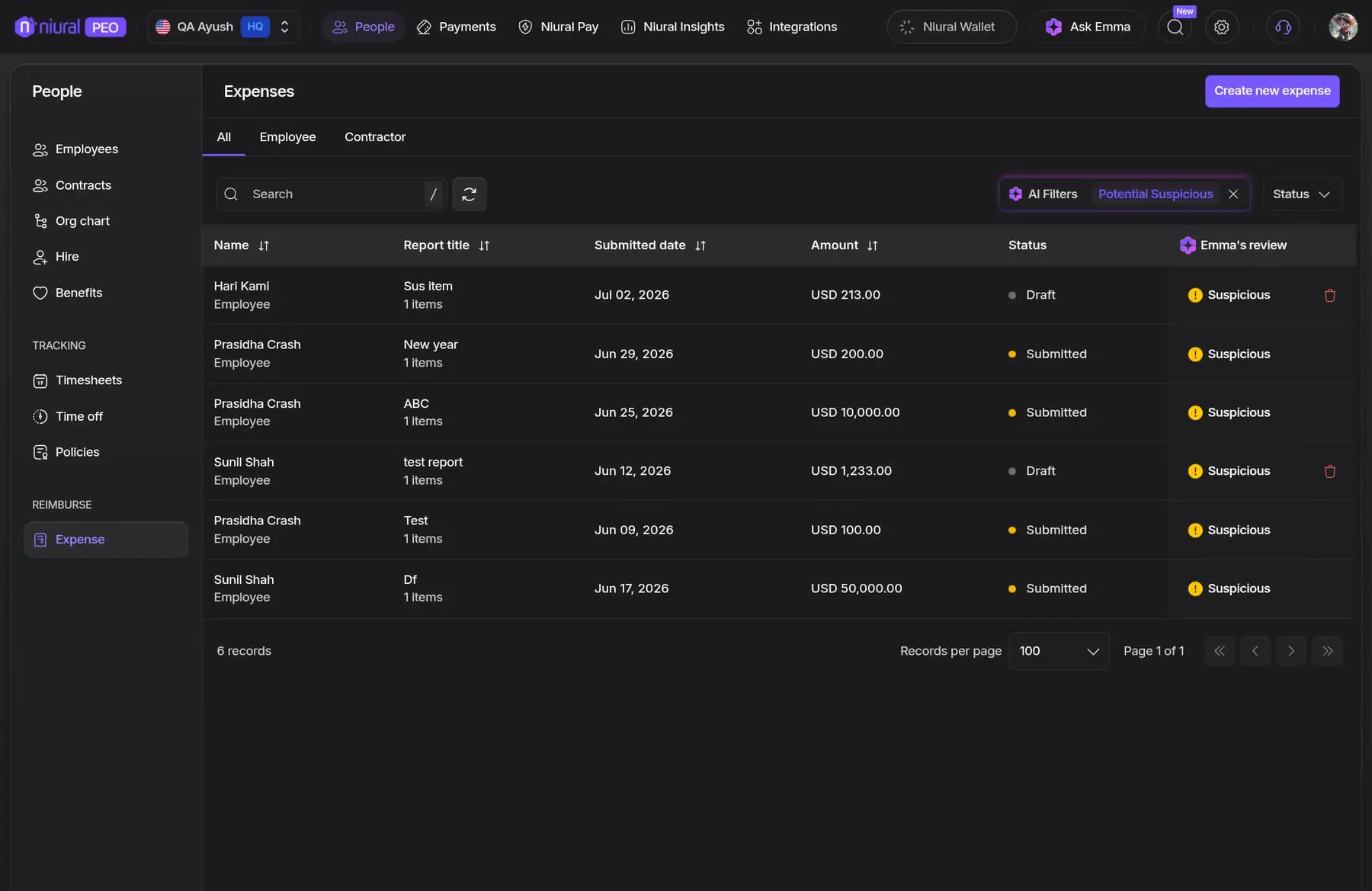
- Put AI into the screens people already worked in. The expense table gained an "EMMA's review" column that flags items in place, plus an AI filter that pulls the 6 flagged reports out of 180 rows, so a reviewer starts where the risk is.
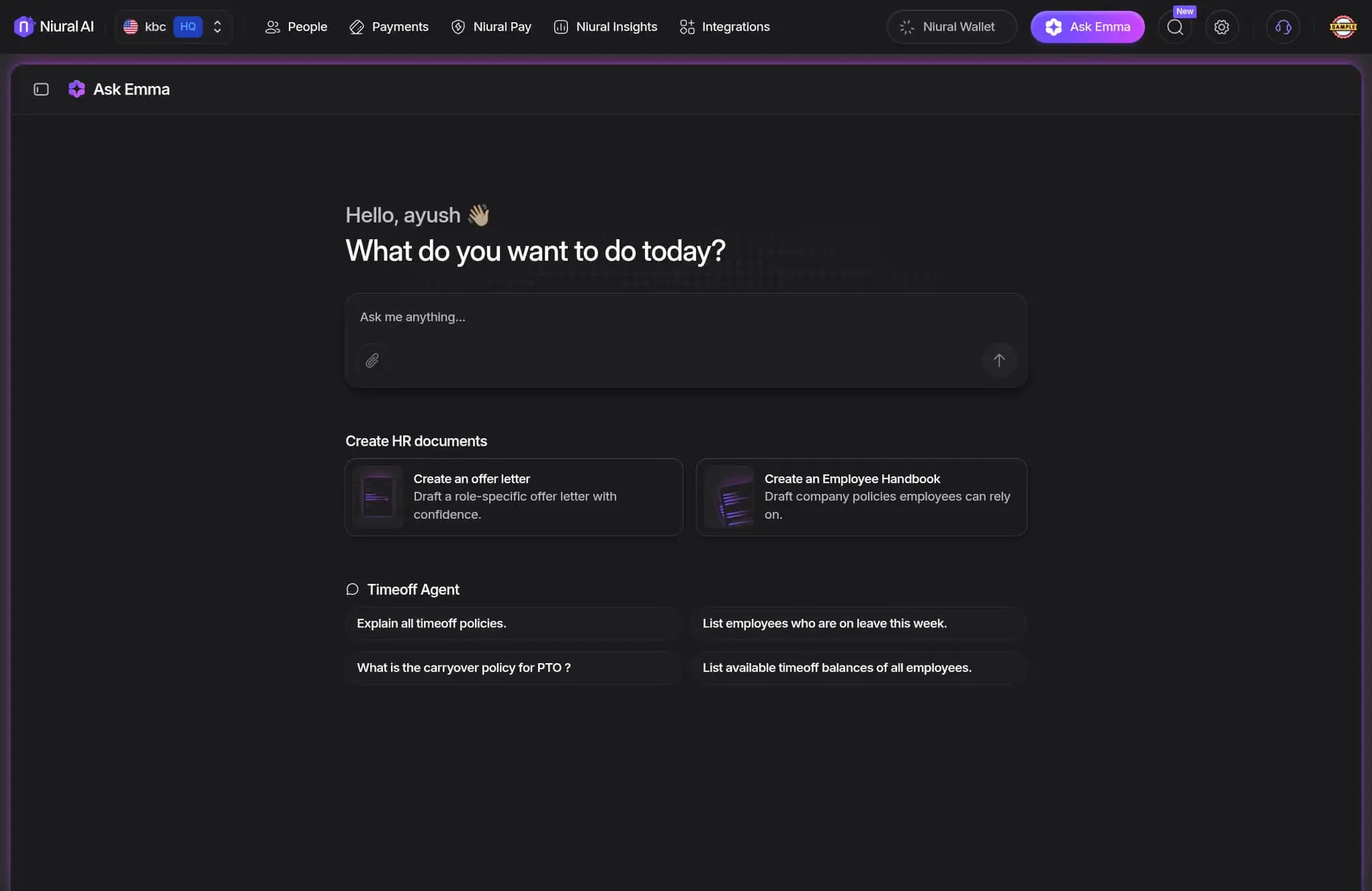
- Built the prompt surfaces behind Ask Emma. The entry point asks what you want to do today and offers agent-scoped suggestions, which teaches people what the system can do instead of leaving them at an empty input.
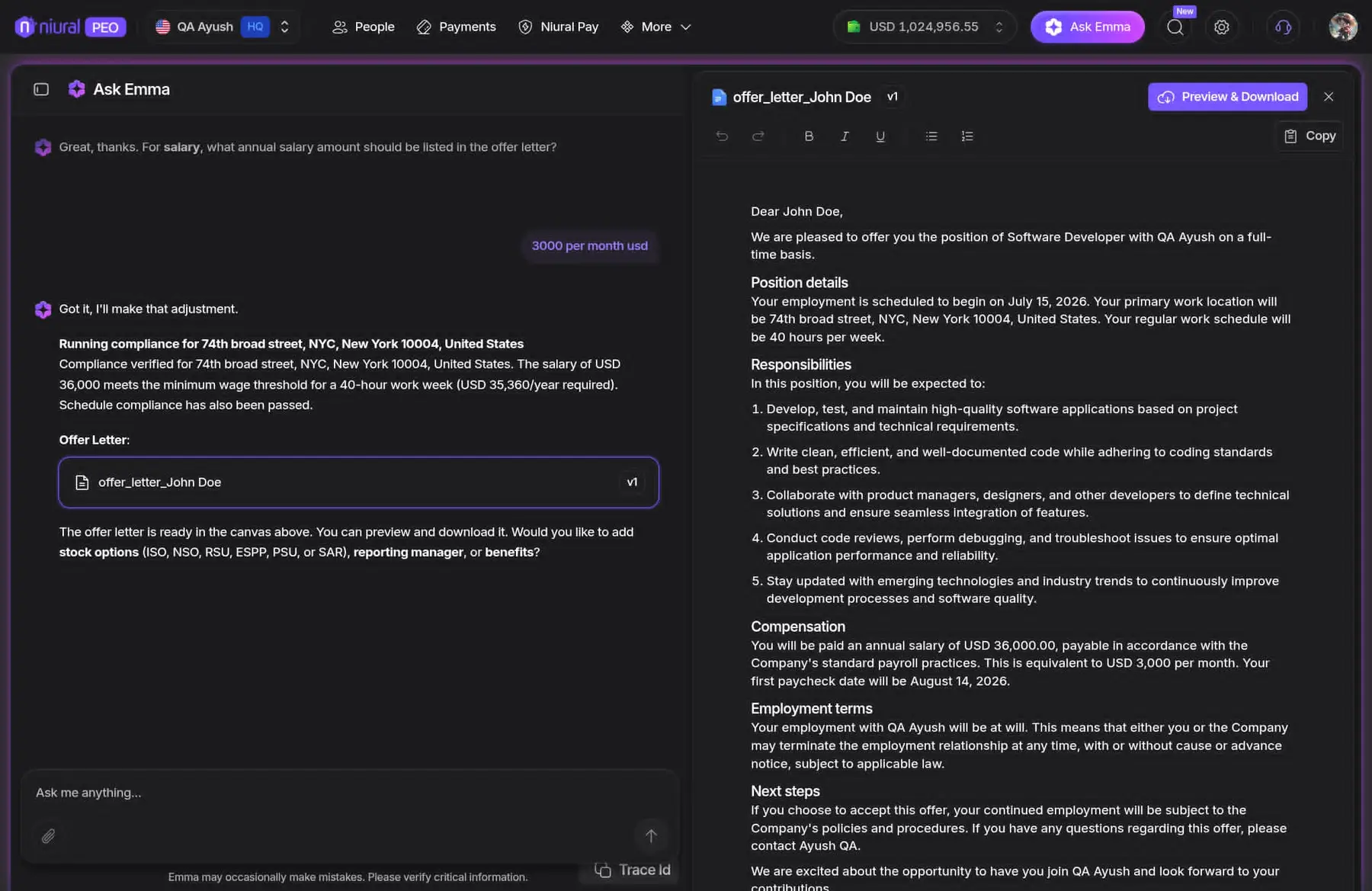
- Built the conversational document flow for hiring and contracts. EMMA collects the missing details one turn at a time, runs a compliance check against minimum-wage thresholds and schedule rules as the numbers arrive, then streams the offer letter into a side-by-side canvas the user can edit, version and download.
- Kept AI output reviewable. Verdicts render as state next to the record instead of a silent write, and trace IDs make an answer traceable back to what produced it.
- Created the Niural Design System and set up an NX monorepo, which allowed a microfrontend split so teams could ship without queueing behind each other.
People use the AI because it shows up where the work already is: a flagged row, a filled-in draft, a compliance check that runs before anything is sent. The design system and monorepo underneath are what let the team ship at that pace without the product coming apart.
Want the walk-through? The fastest way to reach me is email.